Setting up Stripe as a Payment Method
Stripe is the recommended payment method for ShopBot due to its fast setup, low fees, and low minimum price. Follow these steps to connect your Stripe account to ShopBot.
Step 1: Connect Your Stripe Account
- Go to the ShopBot website.
- Click on Connect your Stripe account (or go directly here).
- Click the main button: Let's GO!
- Sign in or create a Stripe account:
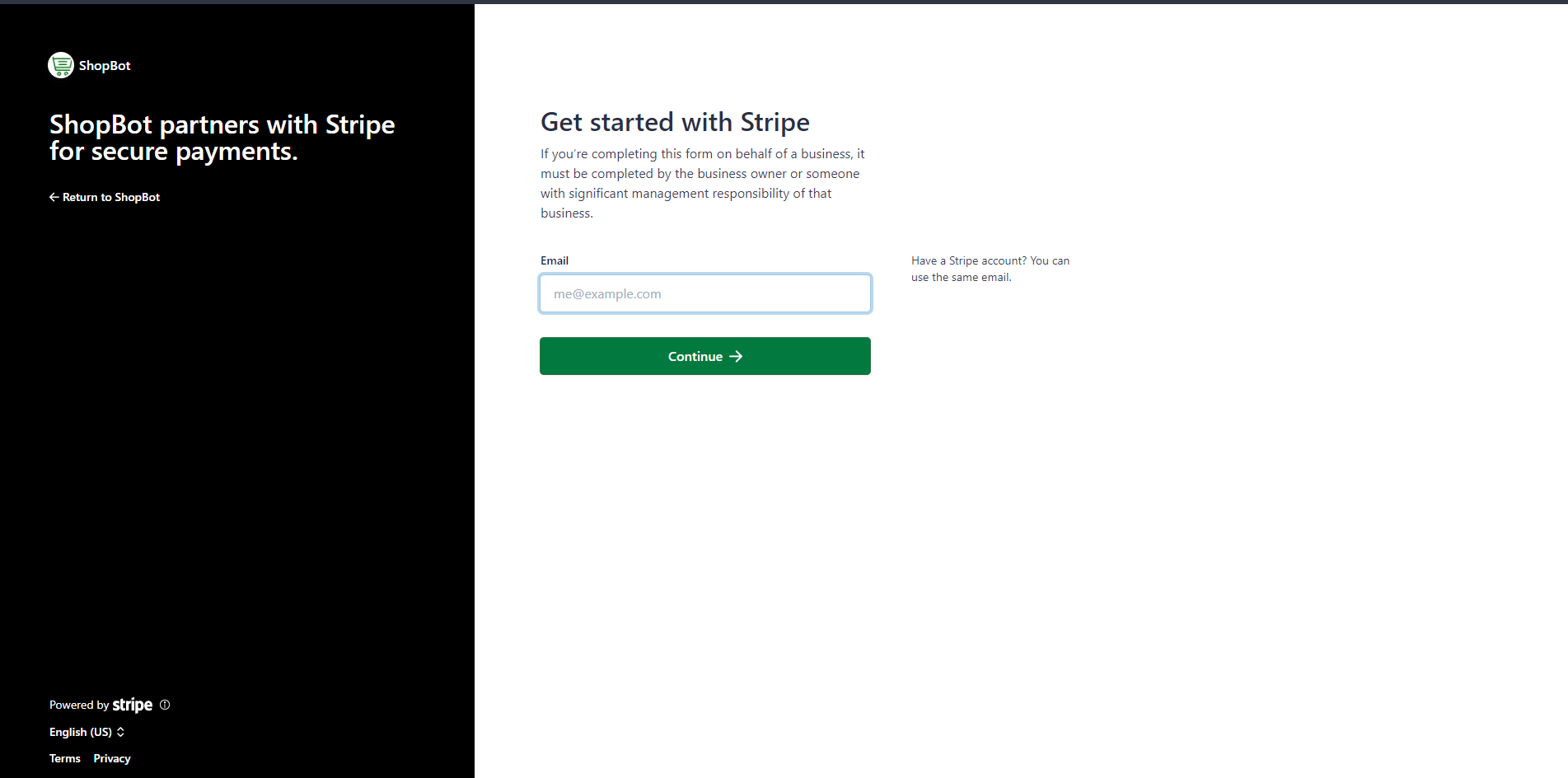
- If you already have a Stripe account, enter your email and password.
- If you don’t have one, enter a valid email and follow the prompts to create your account.
- Once connected, you can access your Stripe dashboard.
tip
You only need to do this once. After connecting, ShopBot will remember your Stripe account.
Step 2: Find Your Stripe Account ID
-
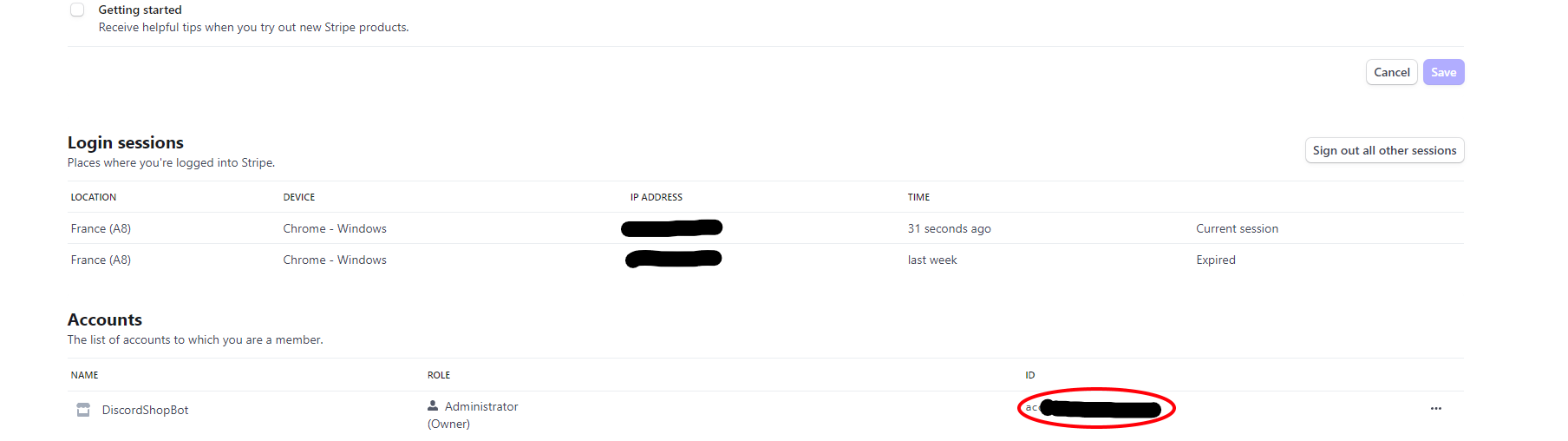
Go to your Stripe user settings.
-
Scroll to the bottom of the page. Under ID, you’ll see your Stripe Account ID.
-
Copy your Stripe Account ID.
📝 Note: If ShopBot asks for your
platform IDand you’ve selected Stripe, simply paste your Stripe Account ID in the input field.
You’re all set! Stripe is now connected to ShopBot.